
Introduction
In the digital economy of 2025, your CV is no longer a PDF file stored on your laptop; it is a URL.
Whether you are a student, a freelancer, or a corporate professional, having a personal website is the single most effective way to control your narrative. It serves as your 24/7 ambassador, showcasing your work to recruiters and clients while you sleep.
The problem? Most people think building a website requires learning complex languages like HTML, CSS, or JavaScript. Five years ago, that was true. Today, the “No-Code” revolution has democratized web development. You can now build a site that looks like it cost $5,000 to design, all for the price of a coffee and a few hours of your time.
This guide will walk you through the essential tools and steps to launch your digital home in 2025—no computer science degree required.
Step 1: Choose Your Platform (The “No-Code” Landscape)
The first mistake beginners make is choosing the wrong tool. The market is flooded with builders, but for a professional portfolio, there are only three serious contenders in 2025.
1. WordPress (The Powerhouse)
-
Best For: Those who want total control and ownership.
-
The Pro: It powers 43% of the web. It is free (open-source), highly customizable, and you own your data.
-
The Con: There is a slight learning curve. You need to buy your own domain and hosting.
-
Verdict: Choose this if you want a blog or a site that can grow into a business.
2. Framer (The Designer’s Choice)
-
Best For: Creatives, designers, and visual artists.
-
The Pro: It feels like using a design tool (like Figma). The templates are stunning and ultra-modern.
-
The Con: Can be expensive if you want advanced features.
-
Verdict: Choose this if you want your site to look like an Apple product advertisement.
3. Carrd (The One-Page Wonder)
-
Best For: Simple “About Me” pages or landing pages.
-
The Pro: Extremely cheap (often free) and impossible to mess up.
-
The Con: It is only one page. You cannot build a complex blog.
-
Verdict: Choose this if you just need a digital business card right now.
Step 2: The “Structure First” Rule
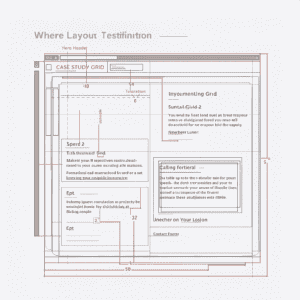
Before you touch a single pixel, you need a plan. Most DIY websites fail because they are cluttered. Your visitor (a busy recruiter) will give you exactly 6 seconds to impress them.
The Perfect Portfolio Structure:
-
The “Hero” Section: A high-quality photo of you + a clear “One-Liner” describing what you do.
-
Example: “I help FinTech startups scale their organic traffic.”
-
-
The “Proof” Section: Do not just list skills; show them. Use case studies.
-
Bad: “I know Python.”
-
Good: “Project: How I used Python to automate my team’s reporting, saving 10 hours a week.”
-
-
The “Trust” Section: Testimonials, logos of companies you’ve worked with, or certifications.
-
The CTA (Call to Action): What should they do next? “Download Resume” or “Book a Consultation.”
Step 3: Essential Assets (Don’t Skip These)
A beautiful template cannot save bad content. Before you start building, gather these three assets:
1. The “Non-Selfie” Headshot Stop using cropped photos from a wedding or a pixelated selfie. You do not need a professional photographer; just use “Portrait Mode” on a modern smartphone, stand facing a window (natural light is key), and wear a solid color shirt.
2. Copywriting that “Speaks Human” Avoid corporate jargon.
-
Jargon: “Leveraging synergistic paradigms to drive KPI growth.”
-
Human: “I use data to help companies make smarter decisions.”
-
Tip: Use the AI writing tips from our Generative AI guide to help polish your bio.
3. Consistent Typography Pick two fonts max. One for Headings (e.g., Playfair Display for a classic look or Inter for modern) and one for Body text (e.g., Open Sans or Roboto). Mixing 5 different fonts makes your site look amateur.
Step 4: Launch and Optimization
Once you hit “Publish,” you aren’t done. You need to ensure your site is actually visible.
The 15-Minute SEO Checklist:
-
Title Tag: Does your browser tab say “Home – My Website”? Change it to “Your Name | Your Job Title”.
-
Mobile Check: 50% of visitors will be on their phone. Open your site on mobile and ensure the text is readable and buttons are clickable.
-
Speed Test: Put your URL into “Google PageSpeed Insights.” If it scores below 80, compress your images. Large images are the #1 cause of slow websites.
Conclusion: It is Never “Finished”
Your personal website is a living document. It should evolve as you evolve. Do not wait for it to be “perfect” to launch it. A published “good” site is infinitely better than a “perfect” site that sits in draft mode forever.
In 2025, the most valuable real estate you can own is a .com with your name on it. Claim it today.