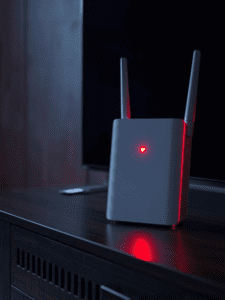
No internet. A blinking red light. And a customer care rep telling you a technician will visit “in 48 hours.”
We have all been there. The Jio AirFiber is a great device, but it is prone to the dreaded “Red Light Error.” This usually happens when the Outdoor Unit (ODU) loses connection with the 5G tower, or when the device freezes due to a power fluctuation.
The good news? You usually don’t need a technician to fix it.
In 90% of cases, the issue is a “stuck” session in the Power Over Ethernet (POE) adapter, not a broken wire. Here is the step-by-step guide to fixing it yourself in under 5 minutes.
Method 1: The “POE Power Cycle” (Most Common Fix)
Most users make a mistake here: they simply restart the white WiFi router. This does nothing.
The brain of your AirFiber is the black power brick (the POE Adapter) and the Outdoor Unit on your roof. You need to drain the power from that specific unit to clear the error.
Step-by-Step:
-
Do not just switch off the wall socket.
-
Unplug the black power adapter completely from the wall.
-
Unplug the LAN cable (the one going to the roof) from the “POE” port on the black brick.
-
Wait for 60 seconds. This is crucial. The capacitors inside need time to discharge completely.
-
Plug everything back in and switch it on.
Why this works: It forces the Outdoor Unit to re-negotiate a fresh handshake with the 5G tower, often clearing the “Red Light” glitch.
Method 2: Check Your “RSRP” Signal Strength
If the restart didn’t work, your device might have physically moved (due to wind or monkeys) or the tower signal is weak. You can check this without climbing on the roof.
How to check signal from your phone:
-
Connect to your Jio Wi-Fi.
-
Open your browser and type:
192.168.29.1(This is the Jio Admin Panel). -
Login using Username:
adminand Password:Jiocentrum(or the password printed on the sticker under your white router). -
Go to Status > LTE / 5G Status.
-
Look for a value called RSRP (Reference Signal Received Power).
Compare your value:
-
-70 dBm to -90 dBm: Excellent Signal (The Red Light is likely a software bug).
-
-100 dBm to -115 dBm: Weak Signal (Internet will be slow).
-
-120 dBm or lower: No Signal.
The Fix: If your RSRP is -120 or lower, your Outdoor Unit is blocked. Check if a new building construction or a tree is blocking the line of sight to the tower. You will need a technician to relocate it.
Method 3: The “Deep Reset” (Last Resort)
Only do this if Method 1 and 2 failed, because this will erase your custom Wi-Fi name and password.
-
Locate the small “Reset” pinhole on the back of your white Jio Router (and sometimes on the POE adapter).
-
Use a SIM ejector tool or paperclip.
-
Press and hold the button for 10-15 seconds until all lights blink together.
-
Release and wait 5 minutes.
-
Your Wi-Fi name will revert to the default one printed on the sticker.
Frequently Asked Questions (FAQ)
Q: The light is Solid Red (not blinking). What does that mean? A: Solid Red usually indicates a boot-up error or hardware failure. If a Power Cycle doesn’t fix a solid red light, the unit is likely damaged and needs replacement.
Q: Can I move the Outdoor Unit myself? A: We do not recommend it. The Outdoor Unit is direction-locked to a specific 5G tower. If you rotate it even by 1 inch, you might lose the signal completely.
Q: Does rain affect Jio AirFiber signal? A: Yes. Heavy rain acts as a curtain that blocks high-frequency 5G waves. You might see a temporary Red Light during a storm. Wait for the rain to stop before panicking.