
Introduction: The Shift from Novelty to Necessity
Two years ago, Artificial Intelligence (AI) was a party trick. You could ask a chatbot to write a funny poem or generate a picture of a cat in space. It was entertaining, but not essential.
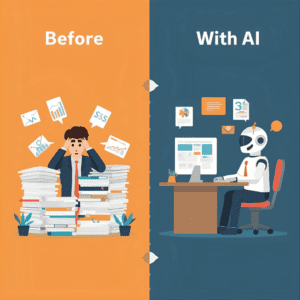
Fast forward to 2025, and the landscape has completely shifted. Generative AI is no longer just a toy; it is the most significant productivity engine since the invention of the spreadsheet. From automating mundane emails to debugging complex code, AI is rewriting the rules of how we work.
However, a tool is only as good as the person using it. Many people try ChatGPT once, get a generic answer, and never return. This guide is designed to bridge that gap. We will move beyond the hype and explore how to actually integrate these tools into your daily life to save time, reduce stress, and boost creativity.
Part 1: The “Big Three” – Choosing Your Engine
Not all AI models are created equal. Just as you wouldn’t use a hammer to drive a screw, you shouldn’t use a creative AI for data analysis. Here is the breakdown of the current market leaders:
1. ChatGPT (OpenAI)
-
The All-Rounder: Think of ChatGPT as a brilliant, generalist intern. It excels at brainstorming, creative writing, and explaining complex concepts in simple terms.
-
Best Use Case: Drafting marketing copy, simplifying difficult topics, and writing Python scripts.
2. Claude (Anthropic)
-
The Analyst: Claude is designed with a larger “context window,” meaning it can read and remember much longer documents than its competitors. It also has a more neutral, professional tone.
-
Best Use Case: Uploading a 50-page PDF report and asking for a bulleted summary or analyzing legal contracts.
3. Gemini (Google)
-
The Researcher: Because it is connected to Google’s massive search index, Gemini is often the best choice for current events and real-time information.
-
Best Use Case: Planning travel itineraries, checking stock market trends, or integrating with your Google Drive and Gmail.
Part 2: The Art of Prompt Engineering (How to Talk to Machines)
The single biggest reason users fail with AI is vague prompting. If you give a generic input, you will get a generic output. To get “High-Value” results, you need to master the CONTEXT Framework.
Whenever you write a prompt, check if it has these four elements:
-
C – Character: Who should the AI be? (“Act as a Senior SEO Specialist…”)
-
O – Objective: What exactly do you want? (“Write a blog post outline…”)
-
N – Nuance: What specific details matter? (“Focus on keyword gaps and high-volume terms…”)
-
T – Tone: How should it sound? (“Professional yet accessible.”)
Real-World Example:
❌ The Bad Prompt: “Write me an email about the meeting delay.” (Result: A robot-sounding, generic email that requires heavy editing.)
✅ The Pro Prompt: “Act as a project manager. Draft an email to the client, Sarah, explaining that the website launch is delayed by one week because we are waiting for the final security audit. Reassure her that quality is our priority. Keep the tone apologetic but confident.” (Result: A near-perfect draft ready to send.)

Part 3: 3 Practical Workflows to Save 10 Hours a Week
Let’s move from theory to practice. Here are three specific ways you can use Generative AI today to reclaim your time.
Workflow 1: The “Meeting Assistant”
We all dread the post-meeting clean-up: organizing notes and assigning tasks.
-
The Strategy: Take your raw, messy notes from a meeting and paste them into your AI tool.
-
The Prompt: “Here are my raw notes from the product launch meeting. Please organize them into a clean summary. List the key decisions made, and create a ‘Action Items’ table with columns for Task, Owner, and Deadline.”
Workflow 2: The “Learning Accelerator”
Trying to learn a new skill, like coding or a foreign language? AI is the ultimate personalized tutor.
-
The Strategy: Use AI to explain concepts specifically related to what you already know.
-
The Prompt: “I am a marketing professional trying to learn SQL. Explain the concept of a ‘LEFT JOIN’ using a marketing analogy involving customer email lists.”
Workflow 3: The “Editor-in-Chief”
It is often hard to proofread your own work. You become blind to your own typos and tone.
-
The Strategy: Don’t just ask AI to “fix grammar.” Ask it to improve clarity.
-
The Prompt: “Review this cover letter. Identify three sentences that sound weak or passive and rewrite them to be more persuasive and action-oriented.”
Part 4: The Ethics of AI (The “Human in the Loop”)
As we embrace these tools, we must also acknowledge their risks. Using AI responsibly is what separates professionals from amateurs.
1. Hallucinations are Real: Generative AI predicts words; it does not verify facts. It can confidently tell you that a non-existent court case is real or invent a quote from a famous person. Always fact-check numbers, dates, and names.
2. Data Privacy: If you are using a free version of a chatbot, assume your data is public. Never paste passwords, customer credit card info, or sensitive health data into a chat window.
3. The Creativity Trap: AI is a great starter, but a terrible finisher. If you copy-paste AI content directly onto your website, it will feel soulless and generic. Google’s algorithms are increasingly good at spotting “low-effort” AI content. Always edit, rewrite, and inject your own personality into the final draft.
Conclusion: Your New Digital Co-Pilot
The goal of Generative AI is not to automate your humanity; it is to automate your drudgery. By offloading the repetitive tasks—the organizing, the drafting, the summarizing—you free up mental space for the work that actually matters: strategic thinking, creative problem solving, and human connection.
The future of work belongs to those who treat AI not as a threat, but as a partner. Start small. Pick one task from this guide to automate today, and watch how your workflow transforms.