
Introduction
We are living in the Golden Age of productivity software. Every week, a new app launches promising to organize your life, manage your projects, and essentially “build your second brain.”
But for the average user—whether you are a freelancer, a student, or a project manager—the sheer number of choices is paralyzing. You don’t need more tools; you need the right tool.
In this review, we are stripping away the marketing buzzwords. We tested the three titans of the productivity world: Notion, Obsidian, and Trello. We aren’t just looking at features; we are looking at workflows. Which one is best for building a knowledge base? Which one handles agile projects? And which one is just a glorified to-do list?
Let’s dive in.

1. Notion: The “All-in-One” Workspace
The Pitch: “One workspace for every team.” The Reality: It’s digital Lego. You can build anything, but you have to build it yourself.
The Good:
-
Versatility: You can write a blog post, manage a database, create a wiki, and track tasks all on one page.
-
AI Integration: Notion AI is surprisingly good at summarizing meeting notes and brainstorming.
-
Templates: The community ecosystem is massive. You can download a “Student Dashboard” and be running in seconds.
The Bad:
-
Speed: It can feel sluggish with large databases.
-
Offline Mode: Still notoriously poor. If your internet cuts out, good luck accessing your “Second Brain.”
Best For: Small teams and individuals who want their docs and tasks in the same place.
2. Obsidian: The “Second Brain” for Thinkers
The Pitch: “Sharpen your thinking.” The Reality: A local, markdown-based network of your thoughts.
The Good:
-
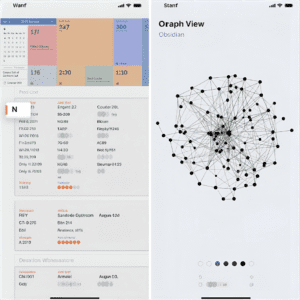
Graph View: This is the killer feature. It visualizes how your notes connect to each other, creating a literal map of your mind.
-
Offline First: Your files sit on your computer. If Obsidian goes bankrupt tomorrow, you still own your text files.
-
Speed: Because it’s local, it is instant. No loading spinners.
The Bad:
-
Learning Curve: It’s nerdy. You need to learn “Markdown” formatting. It’s not for drag-and-drop lovers.
-
Collaboration: It’s a solo tool. Sharing notes with a team is clunky compared to Notion.
Best For: Writers, researchers, and developers who want to build a long-term knowledge base.
3. Trello: The “Kanban” King
The Pitch: “Manage projects from anywhere.” The Reality: Digital sticky notes. Simple, visual, effective.
The Good:
-
Simplicity: You can explain Trello to a 5-year-old in 30 seconds. “Move the card from To-Do to Done.”
-
Visual Clarity: You see the status of a project at a glance.
-
Automations (Butler): Surprisingly powerful automation. (e.g., “When I move a card to Done, send an email to the client”).
The Bad:
-
Depth: It struggles with complex information. You can’t write a long article inside a Trello card comfortably.
-
Limited Scope: It’s strictly for project management, not for note-taking or wikis.
Best For: Visual thinkers and teams who need to track a pipeline (e.g., Sales, Content Calendars).
The Verdict: Which Should You Choose?
There is no “perfect” tool, but there is a perfect tool for you.
-
Choose Notion if: You want a pretty, all-in-one dashboard to run your life or small business, and you always have internet access.
-
Choose Obsidian if: You are a student or writer who values privacy, speed, and connecting deep ideas over the long term.
-
Choose Trello if: You just want to get things done without fiddling with settings. You need to see “What is due today?” instantly.
Our Recommendation: Start with Trello for tasks and Notion for notes. As you get more advanced, you might migrate your notes to Obsidian, but Trello remains the undefeated champion of “Simple Project Management.”