Introduction
There is a phrase that haunts every junior developer’s nightmares.
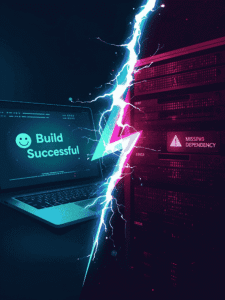
You write a perfect piece of code. You test it on your laptop, and it runs smoothly. You send it to your boss or deploy it to a server, and… CRASH. You stammer, “But… but it works on my machine!”
The problem isn’t your code. The problem is the environment. Maybe you have Python 3.9, and the server has Python 3.8. Maybe you have a specific library installed that the server is missing. This is called “Dependency Hell.”
In the past, solving this was a nightmare. Today, we have Docker.
Docker allows you to package your code and the environment it runs in into a sealed box (a “Container”) that runs exactly the same way everywhere—from your MacBook to a massive AWS server. Here is your plain-English guide to the tool that runs the modern internet.
1. Virtual Machines vs. Containers (The “House” Metaphor)
To understand Docker, you need to understand what it replaced: Virtual Machines (VMs).
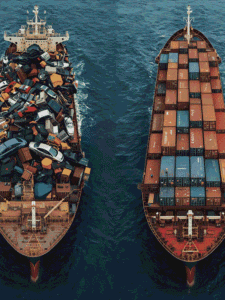
The Virtual Machine (The Old Way): Imagine you want to run three apps. A VM creates three separate “houses” on your land. Each house has its own plumbing, electricity, and foundation (Operating System).
-
Pros: Secure.
-
Cons: Heavy and slow. You are running three entire Operating Systems at once.
The Docker Container (The New Way): Docker creates three “apartments” in one building. They share the same foundation and plumbing (The OS Kernel), but they have their own locked doors and walls.
-
Pros: incredibly lightweight. A container starts in milliseconds, not minutes.
2. The Core Vocabulary
Docker has its own language. You only need to know three words to start.
A. Dockerfile (The Blueprint)
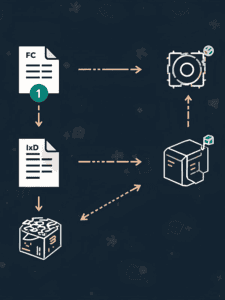
This is a simple text file where you write the instructions.
-
Example: “Use Python, install these libraries, and copy my code.”
B. Image (The Snapshot)
When you run the Dockerfile, it creates an Image. Think of this like a “Game Save File” or a CD-ROM. It is a frozen, read-only template of your app.
C. Container (The Running App)
When you “play” the Image, it becomes a Container. You can spin up 100 containers from the same Image instantly.
3. Your First “Hello World” in Docker
Let’s assume you have installed Docker Desktop (it’s free). Here is how simple it is.
Step 1: Create a file named
Dockerfile
# Use an official Python runtime as a parent image
FROM python:3.9-slim
# Set the working directory
WORKDIR /app
# Copy the current directory contents into the container
COPY . /app
# Run the command
CMD [“echo”, “Hello from Docker!”]
Step 2: Build the Image Open your terminal and type: docker build -t my-first-app .
Step 3: Run the Container Type: docker run my-first-app
Result: The terminal prints “Hello from Docker!” It didn’t matter what version of Python was on your laptop. The container brought its own Python. That is the magic.
4. Why This Matters for Your Career
If you look at any Job Description for a “Full Stack Developer” or “Backend Engineer” in 2025, you will see Docker and Kubernetes.
-
Consistency: It guarantees that the code you write today will work 5 years from now, even if you buy a new computer.
-
Microservices: Modern apps (like Netflix) aren’t one big chunk of code. They are 500 small services talking to each other. Each service runs in its own Docker container.
-
DevOps: It bridges the gap between “Dev” (writing code) and “Ops” (running servers).
Conclusion: Containerize Everything
Learning Docker is a superpower. It frees you from the anxiety of “will this run on the server?”
Start small. Next time you build a Python script or a simple website, try wrapping it in a Docker container. It adds a layer of professionalism to your portfolio that screams, “I know how to ship software, not just write it.”